


The Best AI Tools for Creating Images in 2024: Empowering Your Creativity and Monetizing Your Art
- Paulo Baccaro
- Oct 1, 2024
- 6 min read

Updated: Oct 3, 2024
AI-powered image generators are transforming the creative landscape, making it possible for anyone—from professional designers to hobbyists—to create visually stunning artwork with minimal effort. But with so many options, which AI tool should you choose?

In this post, we’ll dive into the best AI tools for creating images in 2024, covering key features, pricing, and use cases. Whether you’re looking to start an Instagram art page, build a personal website, or even sell your creations as prints or merchandise, these tools offer powerful solutions. We’ll also explore how each tool can be used in different creative ventures and break down whether they’re web-based or app-based.

1. MidJourney: The AI Tool for Artistic Expression
What Is MidJourney?
MidJourney is renowned for producing artwork that’s both visually stunning and highly artistic. Its ability to create impressionistic and painterly styles makes it a favorite among digital artists and creators looking for a tool that offers something different from photorealistic outputs.
Key Features:
Advanced Artistic Styles: MidJourney excels at creating images with a unique, almost traditional painting-like quality.
Customization Options: Users can tweak prompts to guide the tool’s output in terms of style, color palette, and composition.
Community Resources: MidJourney has a strong user community where artists share settings and techniques, making it easier to learn and experiment.
Use Cases:
Starting an Instagram Art Page: Many users have found success using MidJourney to create themed Instagram pages. Its ability to generate eye-catching visuals helps build a strong online presence quickly.
Creating Digital Prints: Because of its highly stylized outputs, MidJourney is ideal for creating digital prints that can be sold on platforms like Etsy or Redbubble. You can produce wall art, posters, or even merch designs.
Availability:
Web-based (Accessible via their official website or through platforms like Discord).
Pricing:
Basic Plan: $10/month — Ideal for personal use and experimentation.
Standard Plan: $30/month — Includes more features and higher resolution outputs, perfect for professional use.
Pro Plan: $60/month — Provides commercial licensing, unlimited personal use, and higher priorities for rendering.
Who Should Use MidJourney?If you want to create art that feels handmade and evokes a sense of creativity beyond the digital realm, MidJourney is the way to go. It’s particularly well-suited for digital artists, content creators, and small business owners looking to create compelling visual content.
Tips for Maximizing MidJourney:
Experiment with Prompts: Use descriptive prompts like “surreal,” “dreamlike,” or “impressionistic” to see how it transforms your ideas.
Leverage Community Settings: Browse community forums or join Discord groups where users share settings and prompt ideas to refine your own creative process.

2.DALL-E 3: Precision and Detail for Realistic Art
What Is DALL-E 3?
DALL-E 3, developed by OpenAI, is designed for creating highly detailed and realistic images. It uses advanced machine learning models to translate text prompts into lifelike visuals, making it one of the most precise AI image generators on the market.
Key Features:
High Fidelity and Realism: DALL-E 3 is capable of producing images that look like actual photographs, making it ideal for professional projects.
Complex Scene Generation: The tool can interpret detailed text prompts to create intricate scenes with multiple elements, perfect for storytelling and visualization.
Custom Adjustments: DALL-E 3 allows users to make nuanced adjustments to images, refining specific areas or elements to match the desired look.
Use Cases:
Website Visuals and Mockups: DALL-E 3 can generate realistic images for use in websites or mockup designs, saving the cost and time of traditional photoshoots.
Product Visualizations: eCommerce entrepreneurs can use DALL-E 3 to create product images for catalogs or online stores, especially for conceptual or prototype products.
Social Media Content: Its ability to generate high-quality, realistic images makes it perfect for Instagram pages centered around lifestyle, travel, or brand promotion.
Availability:
Web-based (Accessible via the OpenAI platform or integrated into partner applications).
Pricing:
DALL-E 3’s pricing varies based on usage, typically calculated on a per-image basis:
API Access: $0.016 per image — Pay-as-you-go model, which can add up depending on the volume of images required.
Platform Bundles: Some third-party platforms offer bundled access with their services.
Who Should Use DALL-E 3?DALL-E 3 is best for professionals who need high-quality images for websites, marketing, or product design. It’s ideal for those who require precise, realistic visuals that convey a professional look.
Tips for Maximizing DALL-E 3:
Use Detailed Descriptions: Incorporate specific language and nuanced details in your prompts to get the most accurate results.
Enhance with Photo Editing Tools: Utilize tools like Photoshop to refine DALL-E 3 outputs, ensuring they meet your exact standards.

3. Leonardo: Flexibility and Control for All Styles
What Is Leonardo?
Leonardo offers a robust AI-powered art generation tool that caters to a wide variety of artistic styles—from realism to abstract. Its strength lies in the high degree of control and customization it offers, making it a versatile option for creators.
Key Features:
Versatile Output Styles: Choose between different presets and tweak them to generate a wide range of visual styles.
Batch Processing: Create multiple images based on variations of a theme, making it easy to generate content for a series or collection.
Advanced Editing Options: Leonardo allows users to adjust image details, making it easier to fine-tune the output to match a specific vision.
Use Cases:
Creating a Portfolio: Artists can use Leonardo to quickly generate multiple pieces of artwork in various styles, building a diverse portfolio that showcases their versatility.
Print-on-Demand Products: Use Leonardo to create unique designs for items like T-shirts, mugs, or phone cases. It’s perfect for entrepreneurs looking to explore print-on-demand businesses.
Availability:
Web-based with an easy-to-use interface accessible through any browser.
Pricing:
Free Tier: Limited access, great for experimentation.
Pro Plan: $12.99/month — Unlocks additional features and more control over outputs.
Who Should Use Leonardo?Leonardo is ideal for those who want a balance between creativity and control. It’s a great choice for designers, content creators, and entrepreneurs who want to explore various artistic styles and outputs.
Tips for Maximizing Leonardo:
Batch Process for Variations: Use Leonardo’s batch processing feature to create a set of images based on one theme but with subtle variations, perfect for A/B testing or social media campaigns.
Use for Print Designs: Leverage Leonardo’s output to create T-shirt designs, posters, or other printable items that can be sold on platforms like Teespring or Redbubble.
Putting the AI Tools to the Test: A Side-by-Side Comparison
To give you a better understanding of how these AI tools handle different creative challenges, we decided to run a simple test using two distinct prompts. Our aim was to explore how each tool interprets the same instructions and produces unique outcomes.
The Prompts We Used
Prompt 1:

Prompt 2:

Results:





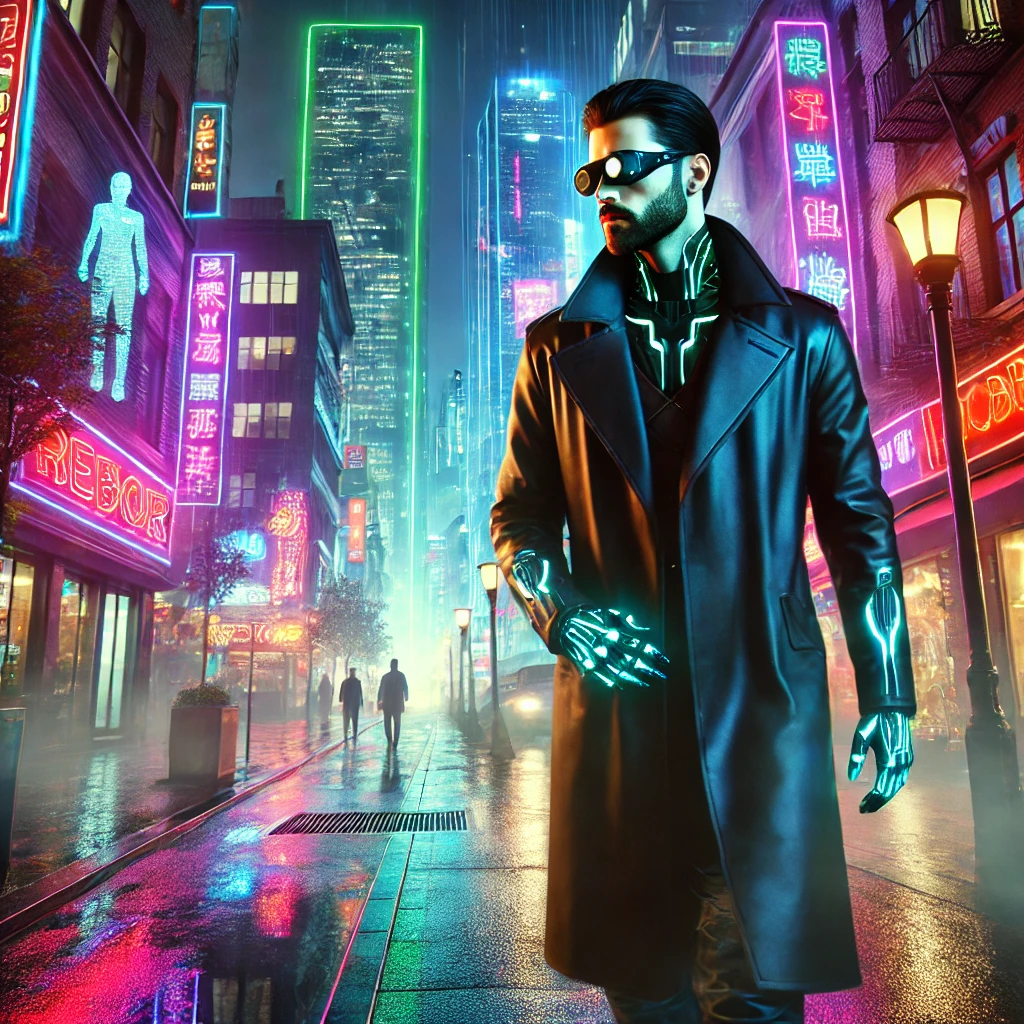
From left to right: DALLE 3, MidJourney, Leonardo AI.
Disclaimer
Keep in mind that results can vary widely depending on the prompt used, and the AI’s interpretation might change with different settings or styles. For this comparison, we used the first image generated by each tool to maintain consistency. This does not necessarily represent the full potential of each AI; instead, it’s just a small test to showcase how different tools can produce varying outputs based on the same instructions.
How to Use These AI Tools for Business and Social Media
Once you’ve created your art, you can use it in a variety of ways:
Social Media: Use AI-generated images to build a visually engaging Instagram or Pinterest page. Post consistently and interact with your audience to build a following.
Website or Blog: Create unique visuals to enhance your blog posts, website design, or portfolio pages.
E-Commerce: Sell your AI-generated art as prints, wall art, T-shirts, or other merchandise. Platforms like Etsy, Redbubble, and Teespring make it easy to start selling without upfront costs.
Want to Learn More?Let us know on our social media pages if you’re interested in a deeper dive into any of these tools. We can break down their advanced features, show you how to create detailed prompts, and provide more insights on how to get the most out of each tool. Comment below or send us a message—we’d love to hear from you and help you become an AI art expert!


Comments